Every save in one place you can search
All your collections in one fast table. Search by caption, username or your own notes. Filter by collection, rating or status. It stays fast with thousands of posts.
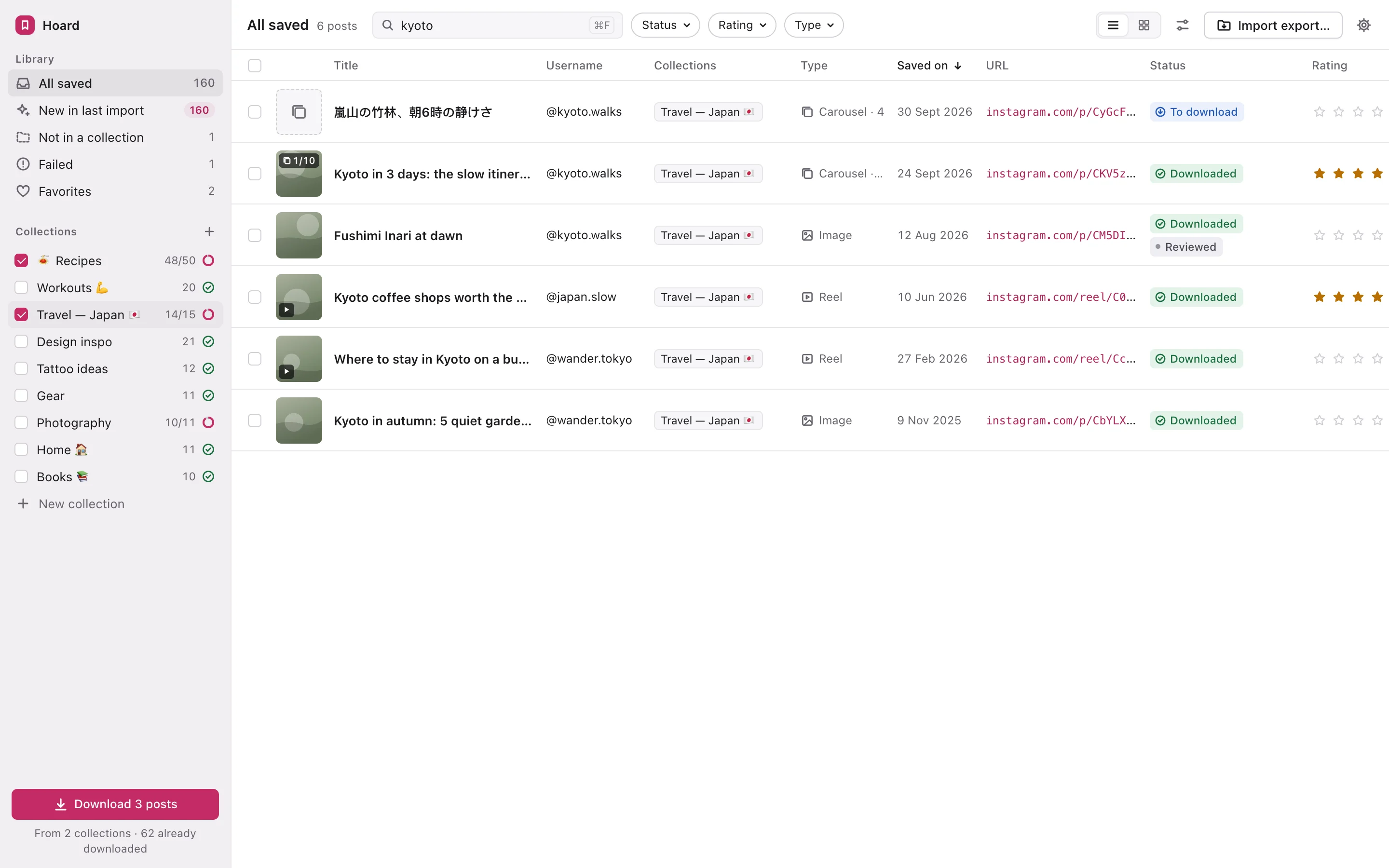
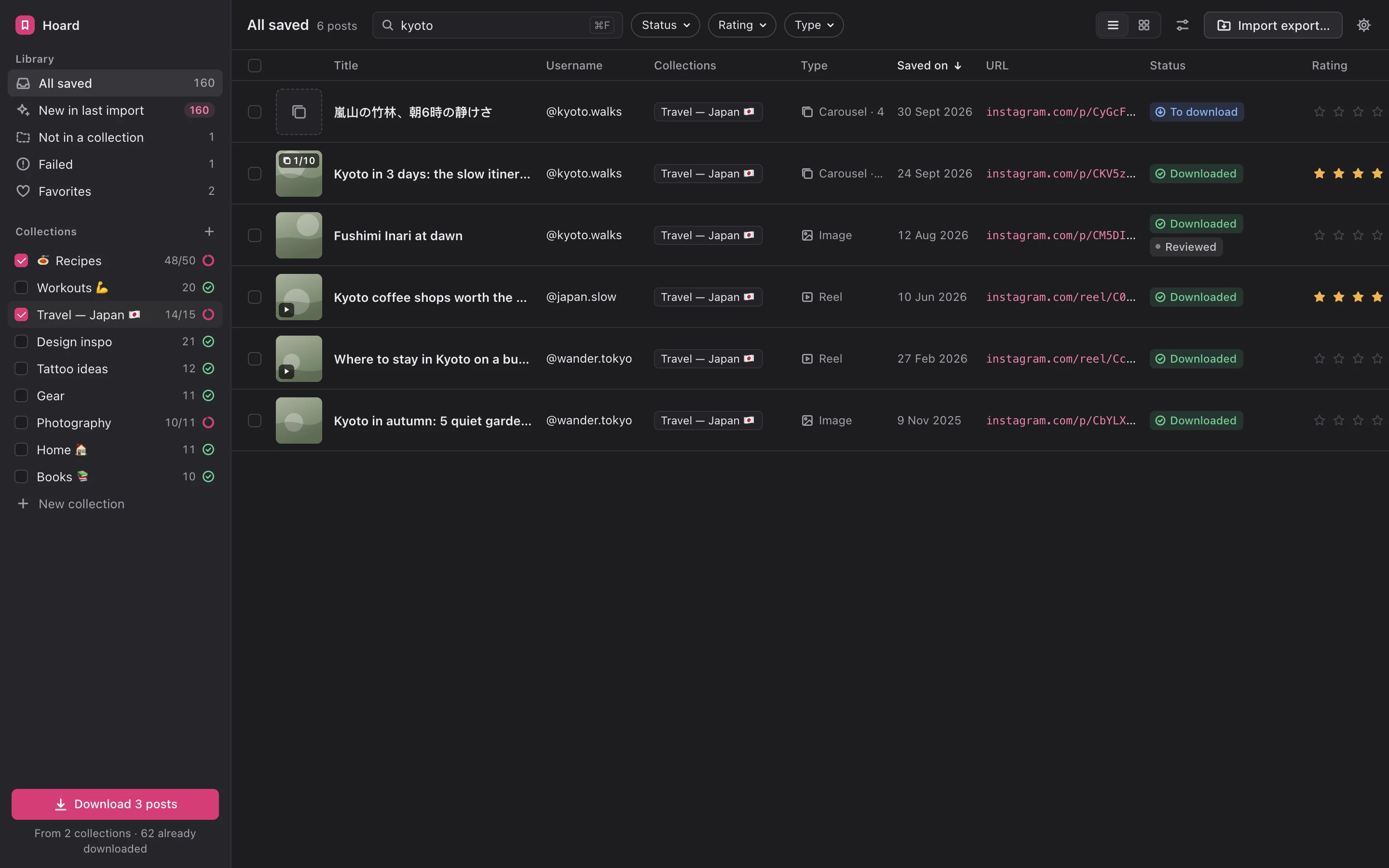
Hoard turns the posts you’ve saved and the accounts you follow into a private library you can search. Sort it, rate it, add notes, and keep a backup on your own computer.
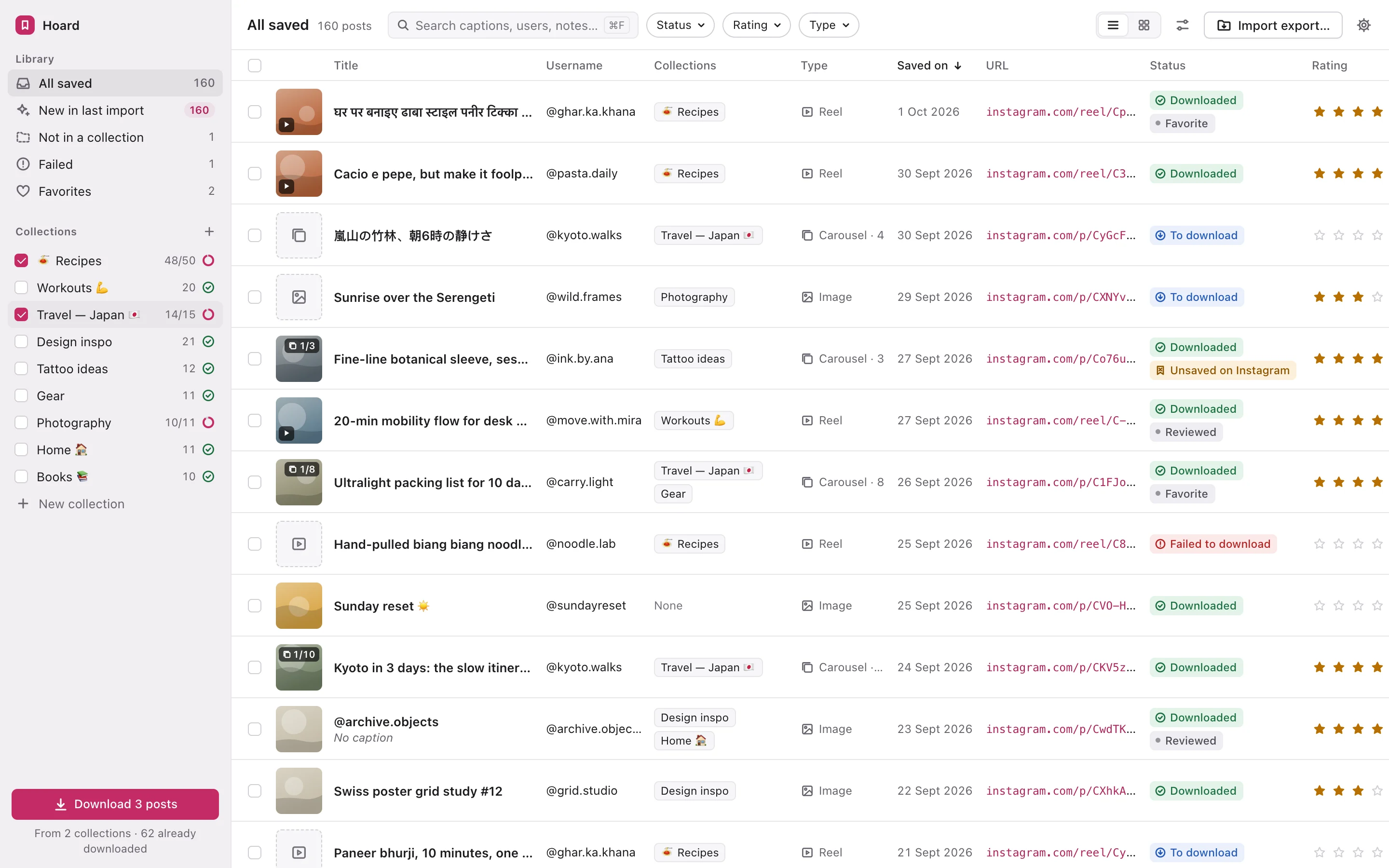
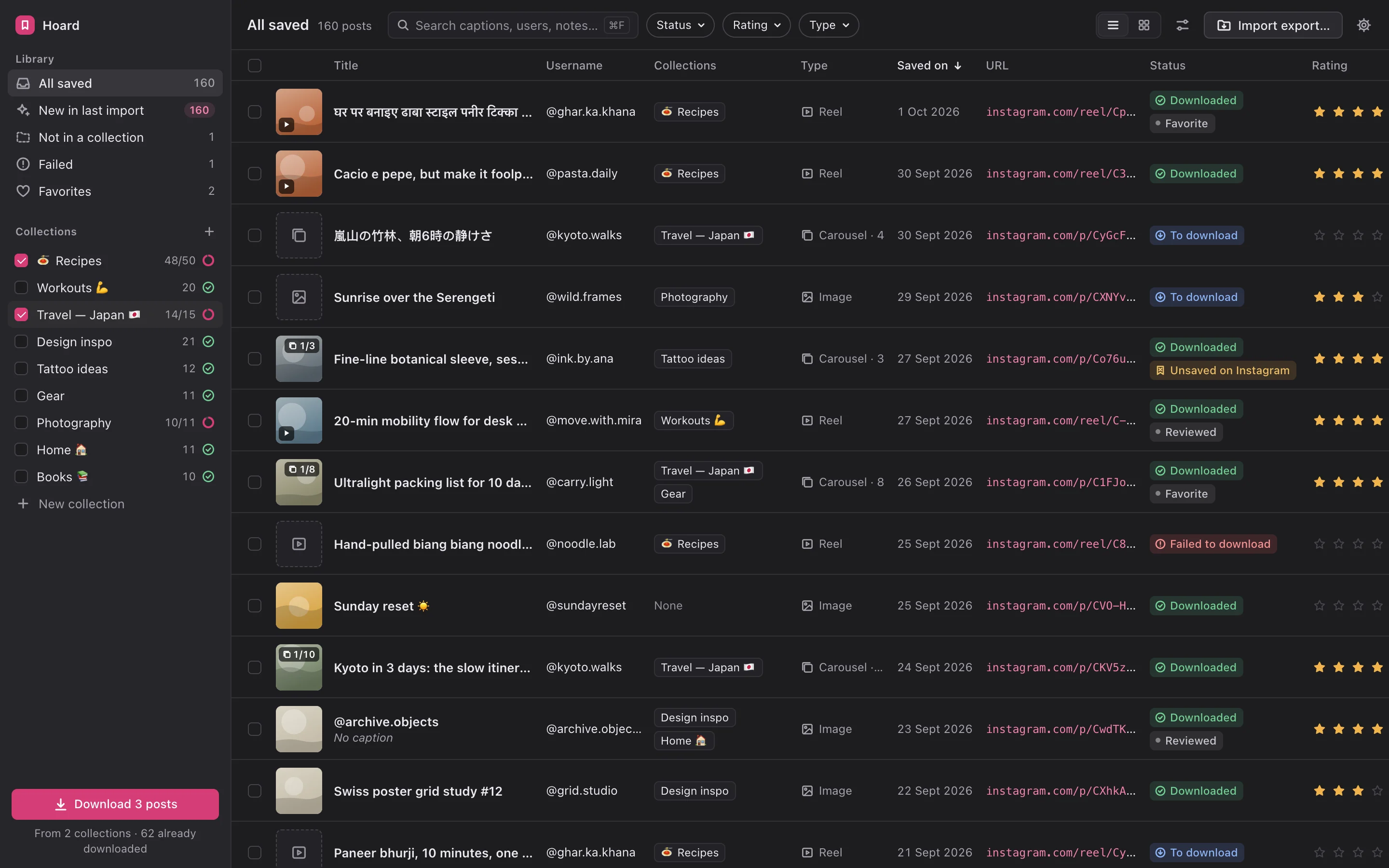
Everything in your official Instagram export, imported in seconds
You’ve saved hundreds of recipes, workouts, trips and ideas. Finding one again means scrolling forever. There’s no search, no notes and no way to tell what you’ve already tried. When a creator deletes a post or makes an account private, your save disappears with it.
Your Following list has the same problem. You can’t sort it, you can’t group it, and you can’t remember why you followed half of those accounts.
It’s free and official, and it takes a few clicks in Instagram’s settings. We show you exactly where to go.
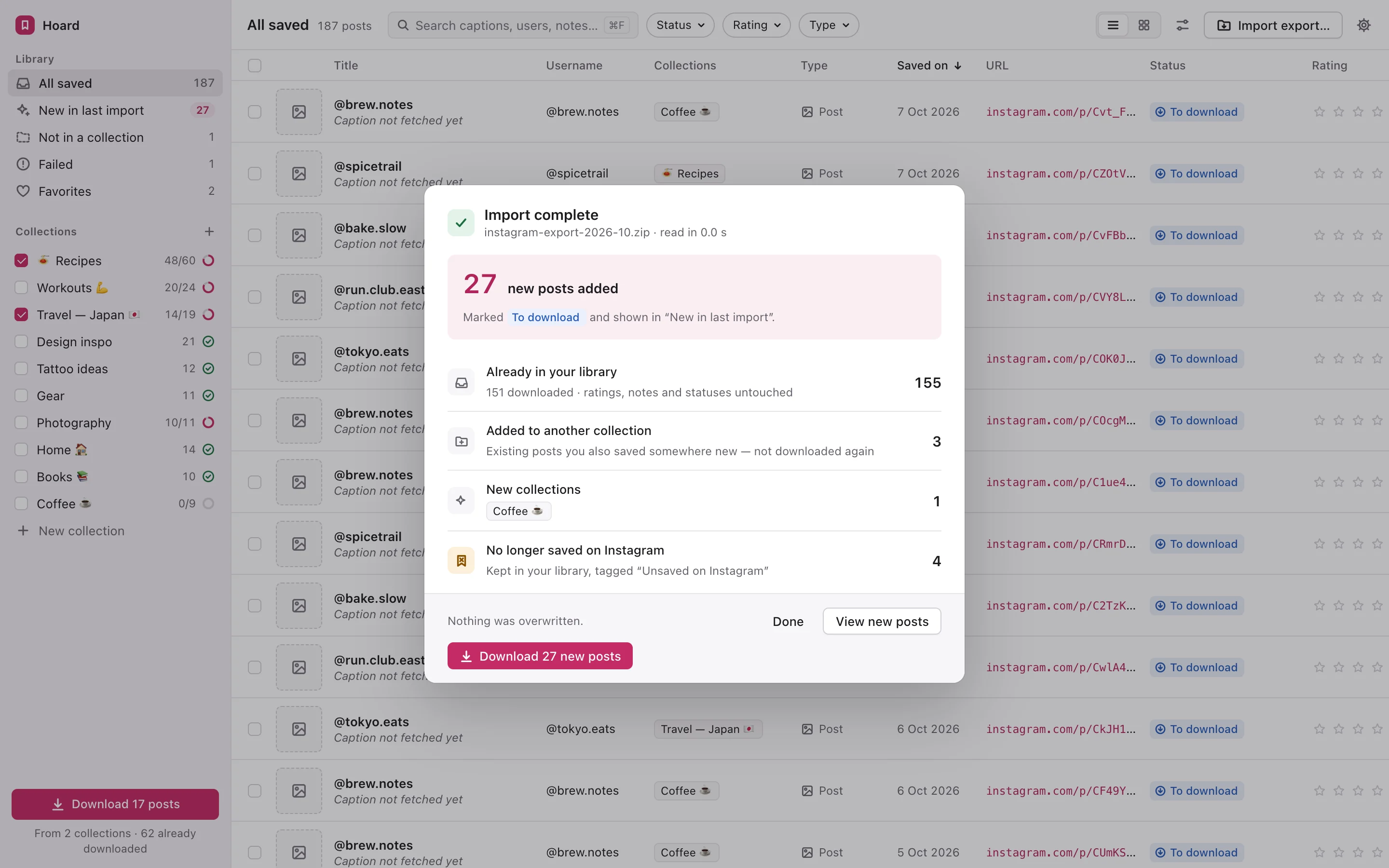
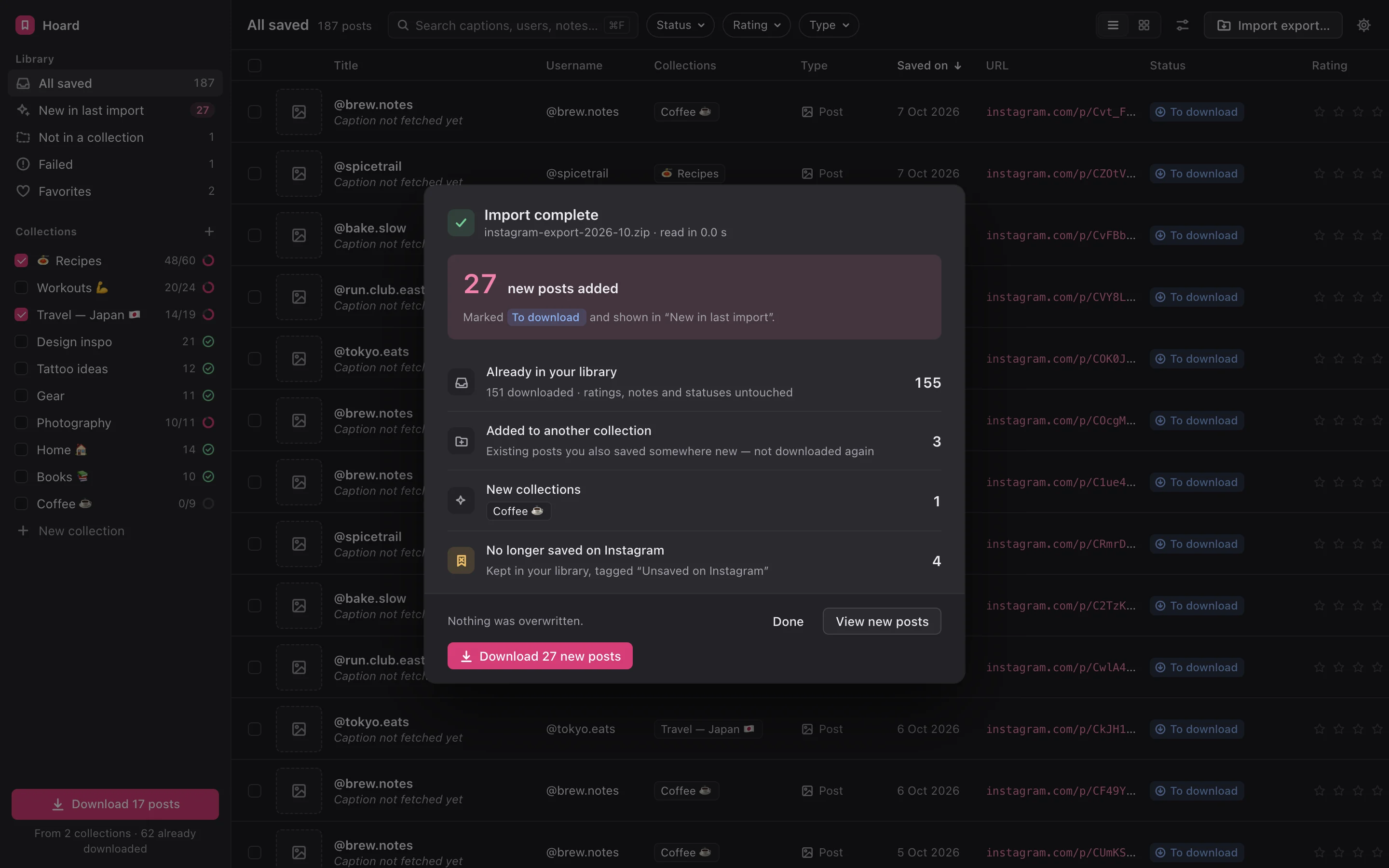
Every collection, saved post and followed account appears in seconds, emoji included.
Search, rate, tag, add notes and keep a backup. Come back next month with a new export, and Hoard adds what’s new without touching your notes.
Everything Instagram’s Saved tab should have been, in one calm, fast app on your computer.
All your collections in one fast table. Search by caption, username or your own notes. Filter by collection, rating or status. It stays fast with thousands of posts.
Give posts 1–5 stars and tags like Favorite, To try or Done, and write a note about why you saved each one. Your saves become a to-do list you actually work through.
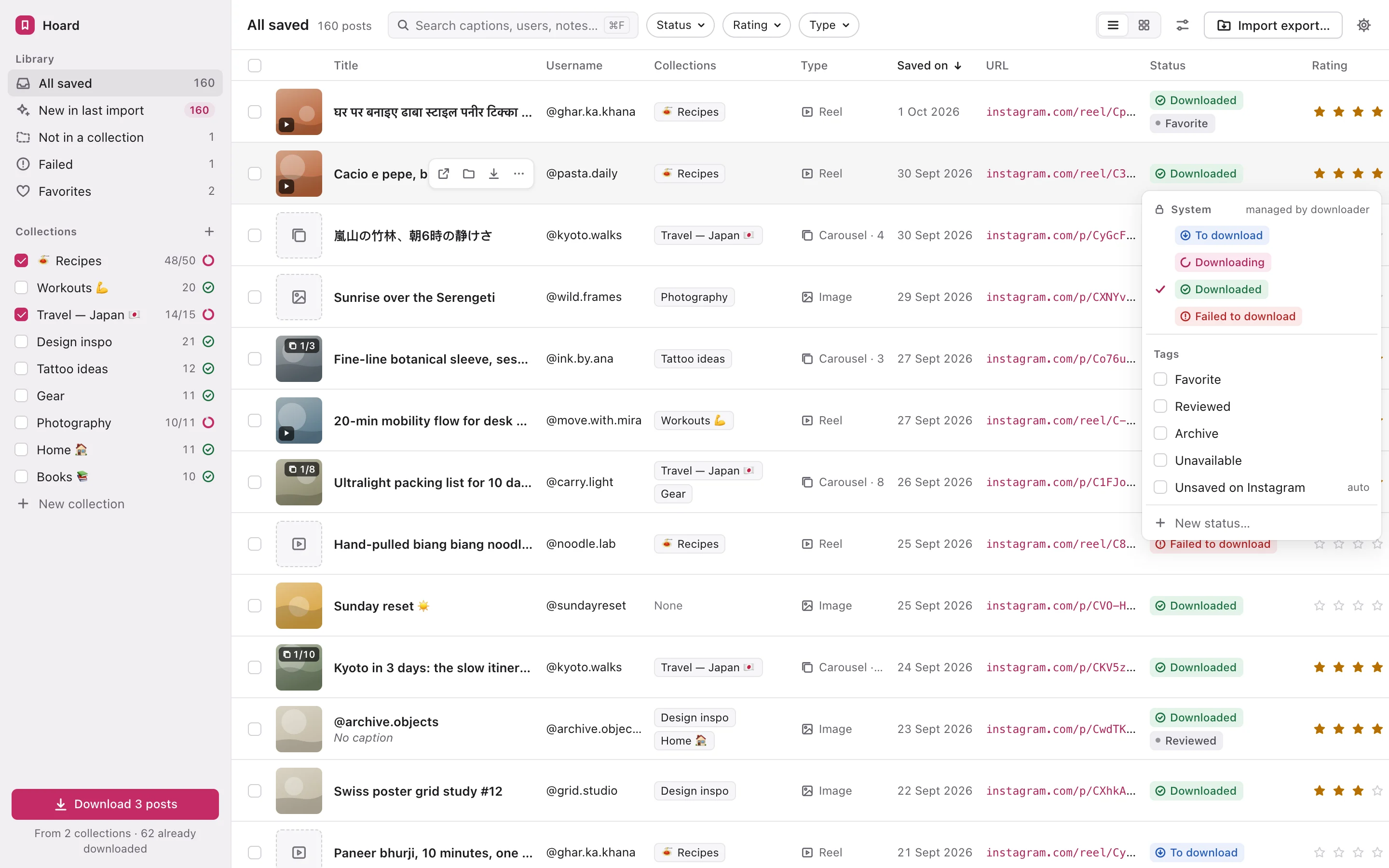
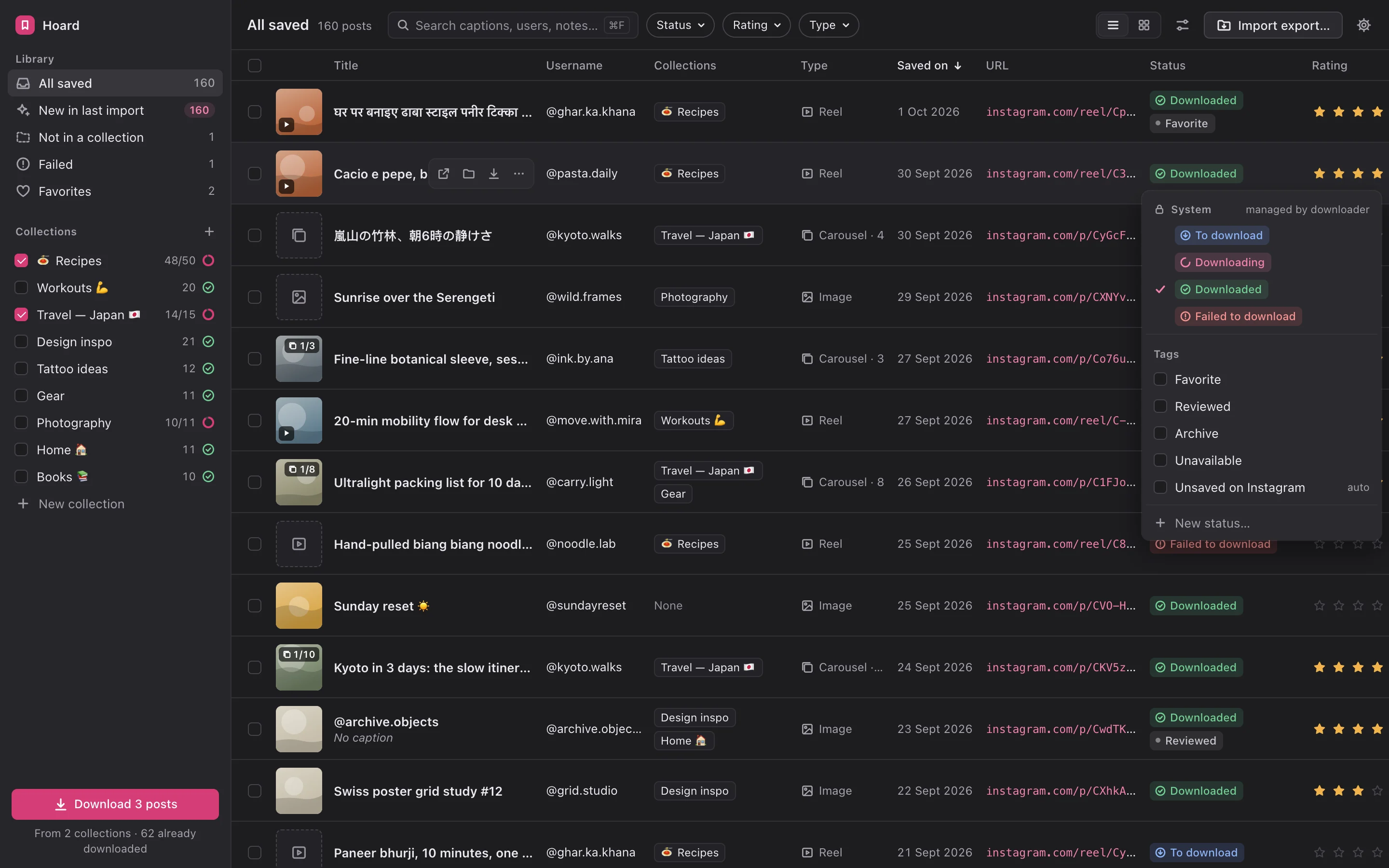
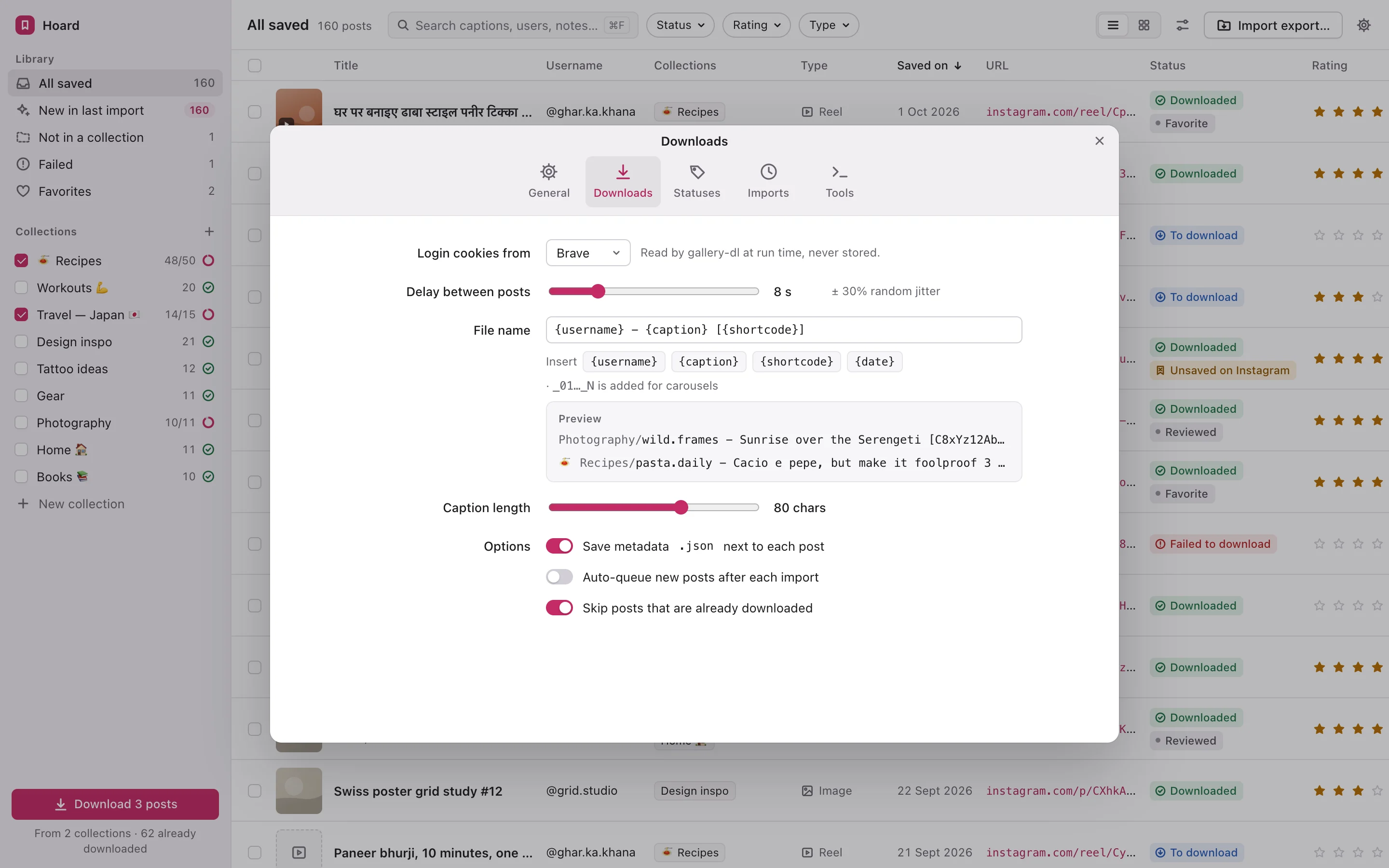
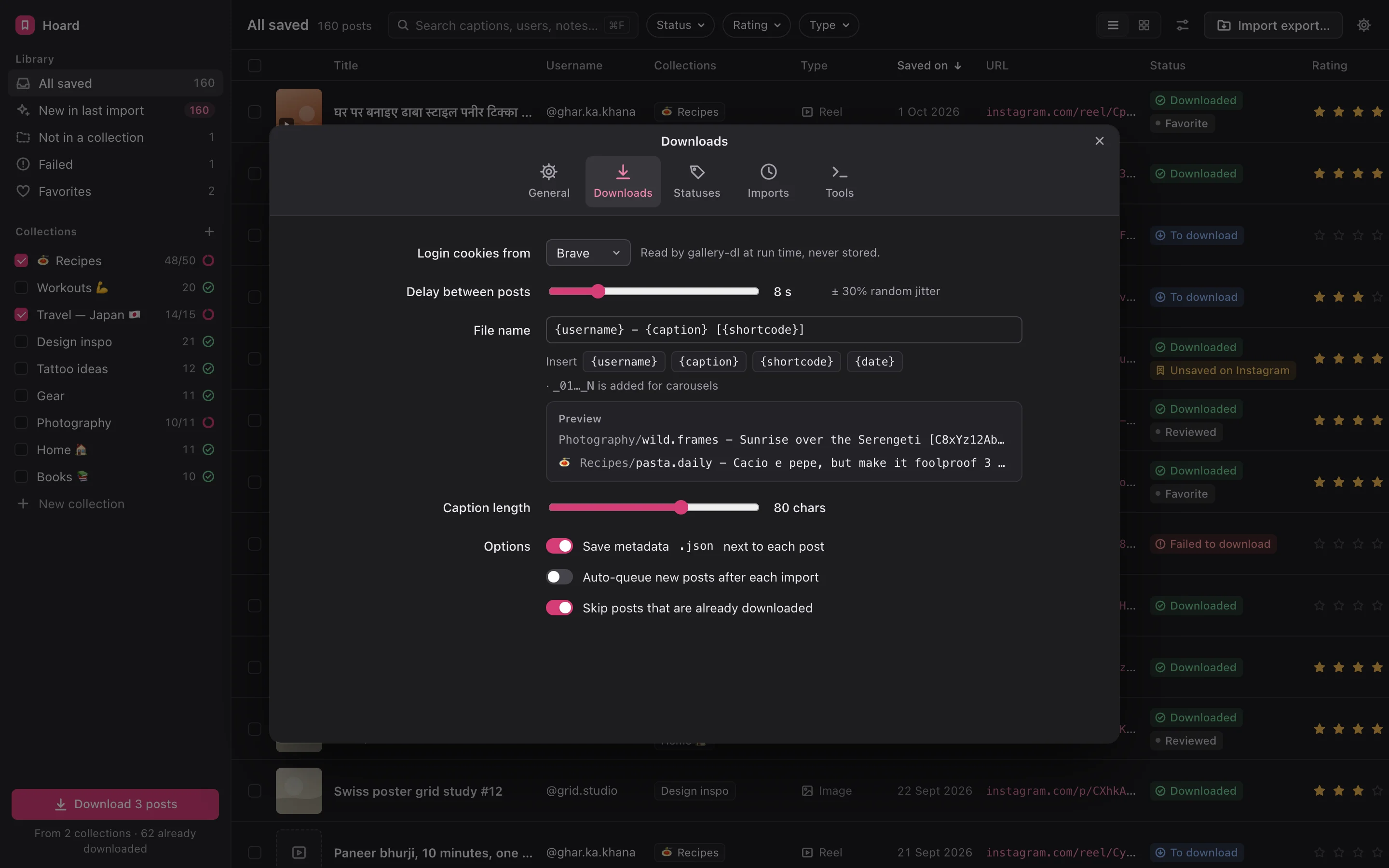
Back up the photos, videos and carousels from the collections you choose to a folder on your computer, with readable file names. If a post disappears from Instagram, your copy stays.
Hoard flags saved posts that were deleted or went private, so nothing vanishes quietly. Accounts you no longer follow are flagged on every plan.
Run a personal and a business account? Import both exports into one library and switch between them in a click. A post you saved on both shows up once and is backed up once.
Browse your saves as a visual grid, create your own tags, and save filters like “Recipes rated 4★+ I haven’t tried”.
Search for “that lemon pasta reel” in plain language. Hoard reads the text in images and transcribes what’s said in reels, then sorts posts into topics automatically. All of it runs on your computer, and nothing goes to the cloud.
See every account you follow and sort it A–Z, by when you followed, or by how many of their posts you’ve saved. Group accounts into lists like Designers, Recipes or Friends, add a note to each, and export the lot.
Read-only. Hoard never follows or unfollows anyone.
Sorting is free on every plan. Lists, notes and export come with Personal.
Use the browser extension on any post, choose a collection, and it’s in your library. You don’t have to wait for your next export.
Hoard works from Instagram’s official data export.
Your library, notes and backups stay on your computer.
Hoard never posts, likes, follows, unfollows or changes anything on your Instagram account.
Export your saved posts to CSV, Markdown or Notion. It’s your data, so it goes wherever you work.
| Feature | Hoard | Cloud bookmark apps |
|---|---|---|
| Imports your entire save history | Yes | Usually from sign-up onwards |
| Data stays on your computer | Yes | Stored on their servers |
| Local backup of media | Yes | Links only, or extra cost |
| Sort and group your Following list | Yes | No |
| Ratings, statuses and notes on every item | Yes | Partial |
| Several Instagram accounts in one library | YesPro | Rarely |
| Price | One-time | Monthly subscription |
Launch offer: Personal $29, Pro $59 for early supporters on the waitlist.
$0
$39one-time
$79one-time
On-device AI search, reel transcription, text in images, topic sorting, map view, weekly “Rediscover” digest, and browsing your library from your phone.
Each licence covers 2 computers and includes 1 year of updates. Your copy works forever, and you can renew for $25 a year to keep getting new versions.
No. Hoard reads the data export Instagram gives you. The browser extension and backups use the Instagram session already open in your own browser, and Hoard never sees or stores your password.
No. Everything stays on your computer. We don’t run servers that hold your library.
Hoard focuses on the accounts you follow, so you can organise them. It doesn’t track followers or show who unfollowed you.
No. Hoard is read-only and changes nothing on your Instagram account.
Import a fresh export and Hoard adds only what’s new, keeping your notes, ratings and lists. With Pro, you can also add them instantly with the browser extension.
Yes, with Pro. Import an export from each account into one library and switch between them. Free and Personal hold one account.
macOS (Intel and Apple Silicon), Windows and Linux. Each licence covers 2 computers.
Backups are for your own personal reference. Please respect creators’ rights and don’t repost their content.
No. You pay once. Updates are included for a year, and renewing after that is optional.
Email us within 14 days for a full refund.